
 Baseline
LLM evaluation your whole team can actually run
LLM evaluation is how you find out whether your AI is good enough to put in front of customers, before they tell you it isn't. Baseline makes that measurable and repeatable. You define what good looks like once, score every output against it, and let the system catch regressions and improve weak prompts on its own.
What it is, and why it matters
Large language models are non-deterministic. The same prompt can return a great answer today and a confusing one tomorrow. Without evaluation you're shipping on vibes: someone eyeballs a few outputs, calls it "good enough," and quality drifts the moment a prompt, a model, or a vendor changes underneath you.
LLM evaluation replaces the eyeball test with a measurement. You decide what a good output looks like, turn that into criteria, and score outputs against those criteria consistently. "Is our AI working?" stops being an opinion and becomes a number you can track over time and across releases.
Done well, evaluation isn't a one-off audit. It runs continuously, flags regressions before customers hit them, and feeds directly into making the product better. That loop is exactly what Baseline is built around.
See it in Baseline, step by step
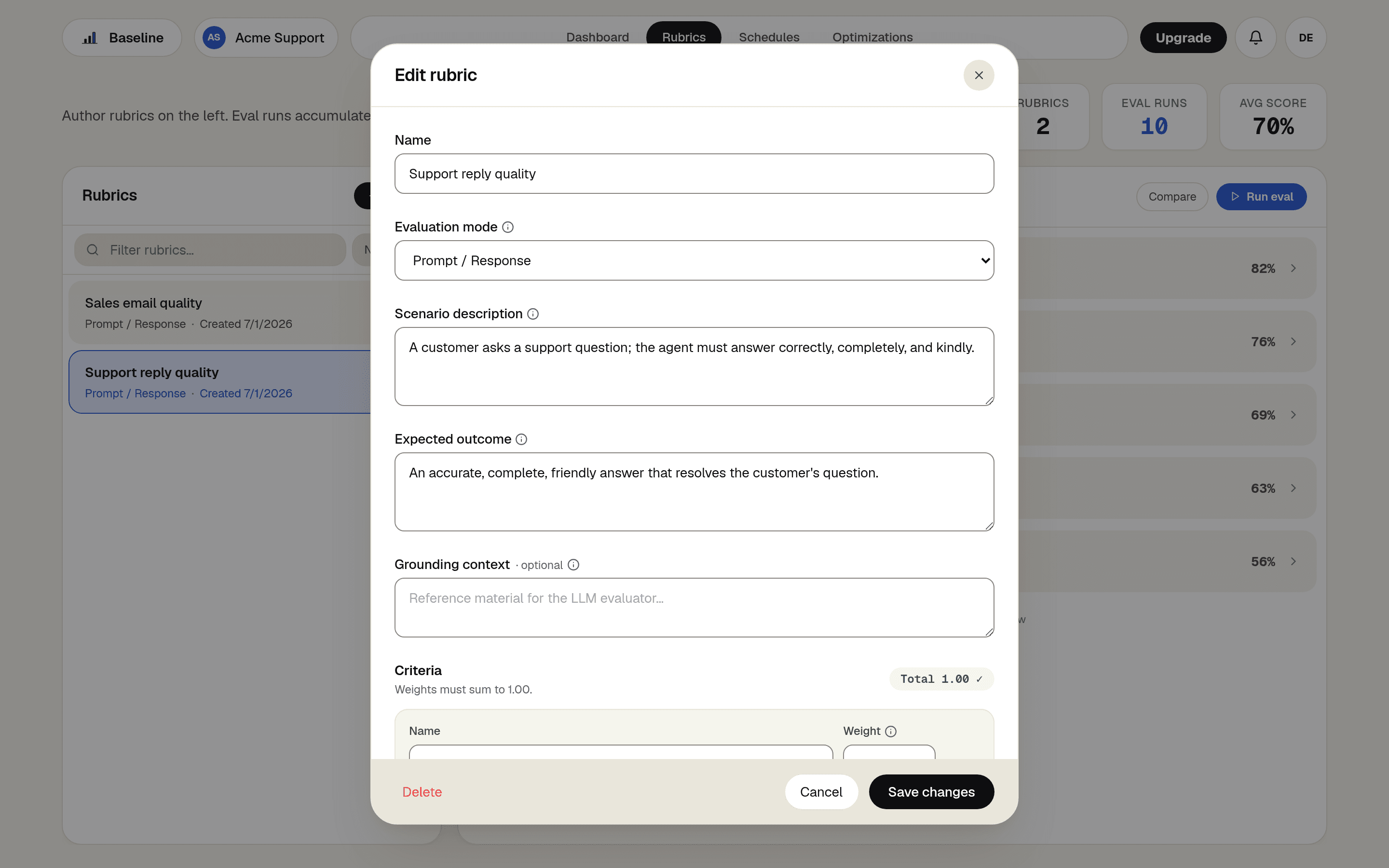
Define what good looks like
Create a Rubric: describe the scenario, the expected outcome, and the criteria that matter. The editor guides the shape, and plain language is all it takes.
Run an eval against real outputs
Start an Eval Run from the rubric: bring a batch of inputs and your AI's answers, and Baseline scores every row against the criteria. Each run lands in the rubric's history with its overall score.
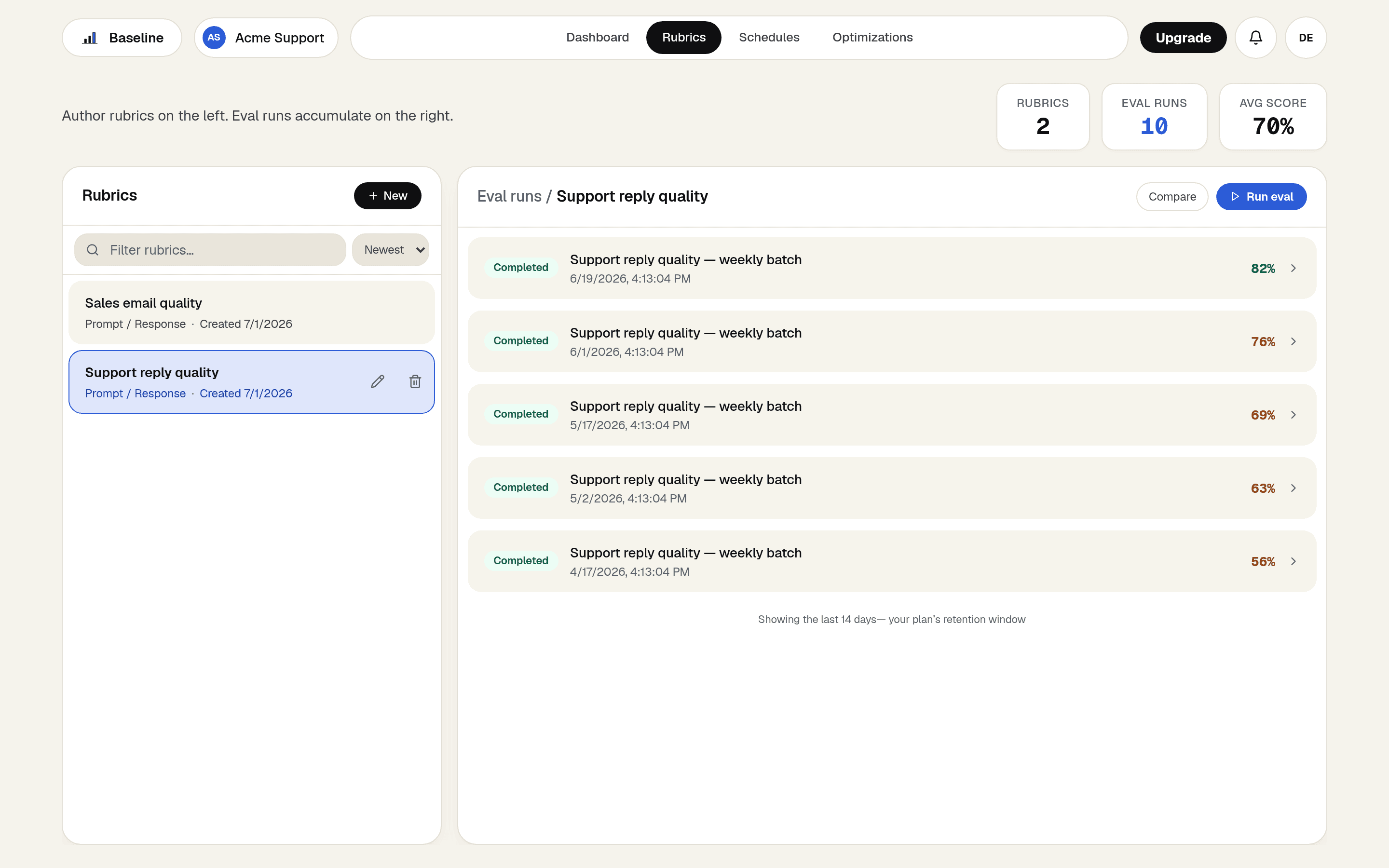
Read the score, then the reasons
Open a run to see the per-row, per-criterion breakdown. Every score comes with the judge's written reasoning, so a weak row tells you exactly what to fix.
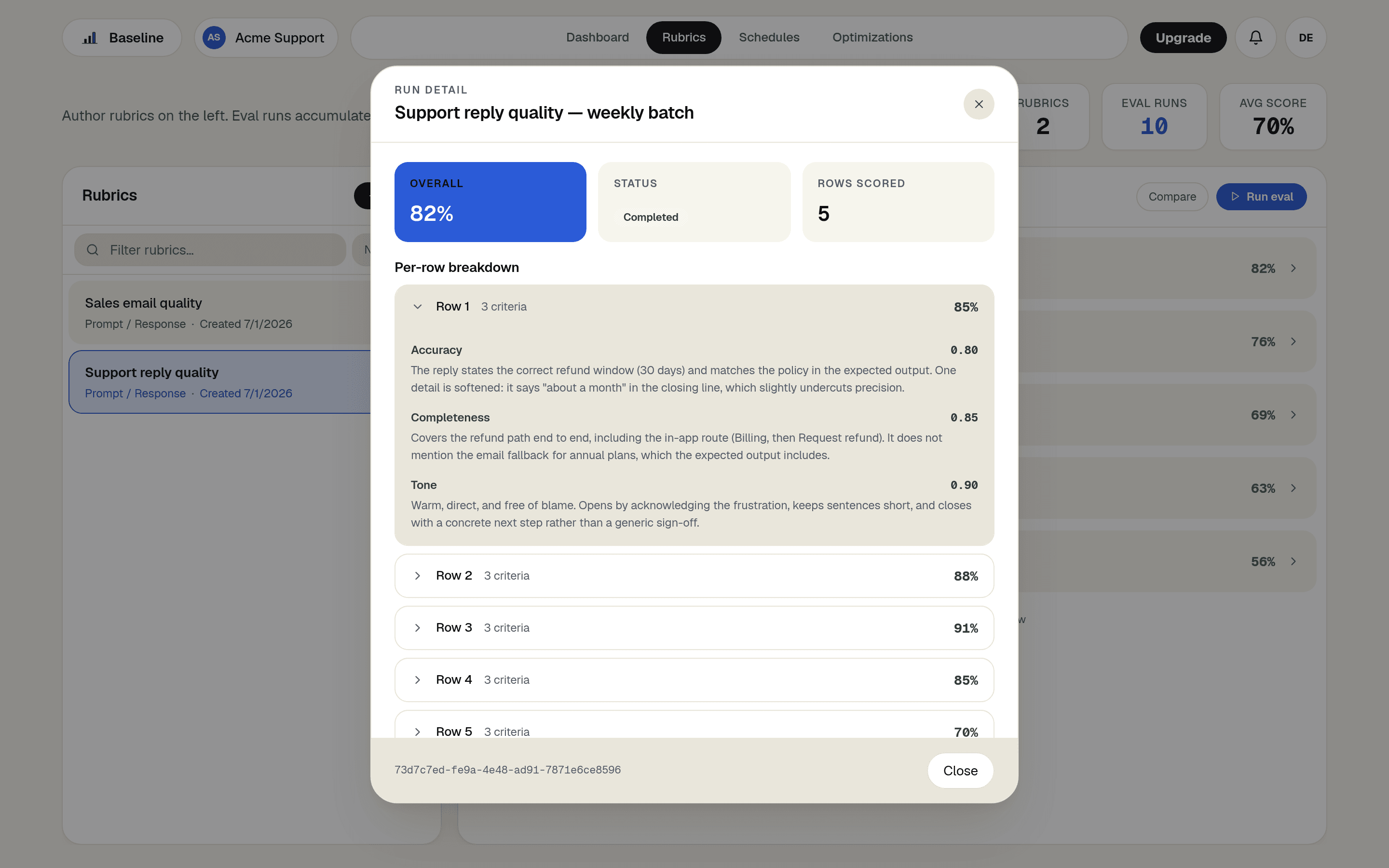
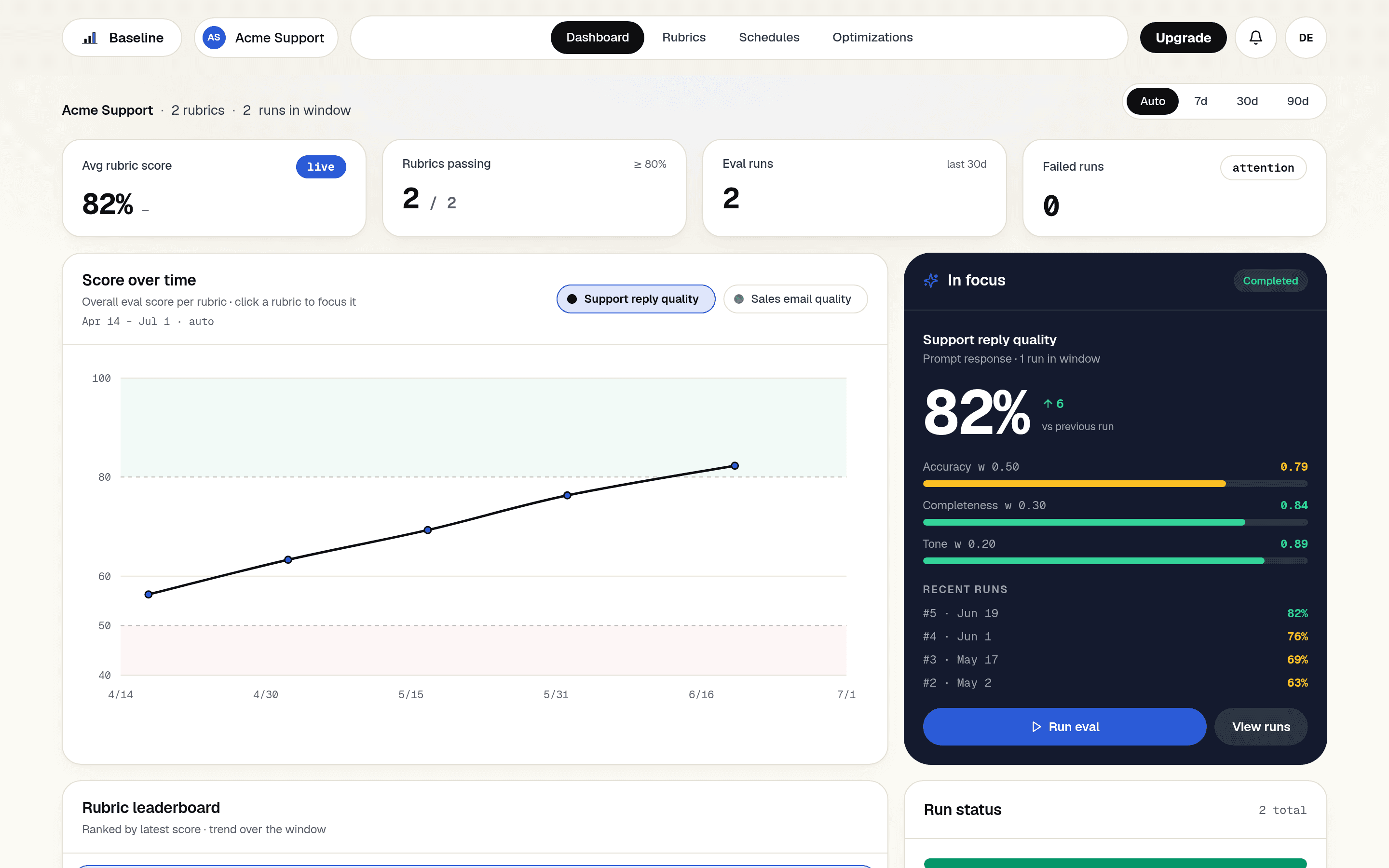
Watch the trend, catch the drift
The dashboard tracks every rubric's score over time, and a Schedule keeps runs coming on a cadence. A regression shows up as a dip on the chart the day it happens.
How Baseline does it
Rubrics
One shared definition of quality, written once in plain language and used by every run, schedule, and optimization that follows.
Eval Runs
A batch of outputs becomes one score the whole team can read, with the per-criterion detail behind it.
Schedules
Recurring runs against your live System keep the measurement current while everyone stays focused on the product.
Optimization Runs
When the score dips, the same rubric drives an automated search for better prompts and proves the recovery.
What you get
- Replace "looks fine to me" with a quality score your whole team trusts.
- Catch regressions the day a model, prompt, or vendor changes.
- Give non-technical teammates a direct read on AI quality.
- Turn every evaluation into the starting point for the next improvement.
Frequently asked questions
- Do I need a data-science team to evaluate an LLM?
- No. Baseline is built so a product manager or domain expert can author a Rubric in the browser and read the results. Evaluation is a team activity, not a specialist one.
- How is this different from just testing prompts by hand?
- Hand-testing checks a few outputs once and forgets. Evaluation scores every output against a fixed definition of quality, runs on a schedule, and tracks the trend, so you catch drift instead of rediscovering it.
- Can I start for free?
- Yes. Baseline has a free tier with no credit card. Create a Rubric and run your first evaluation in the browser.