
 Baseline
AI agent testing that keeps up with a moving target
An AI agent doesn't just answer a question. It takes steps, calls tools, and makes decisions. That makes it powerful and hard to test, because the thing you're checking keeps changing as you tweak prompts, swap models, or add tools. Baseline connects to your agent, scores its real outputs against a Rubric, and re-runs that check on a Schedule so you catch a regression while it's still cheap to fix.
What it is, and why it matters
Testing an agent with a few manual prompts tells you it worked once, on the cases you happened to try. Agents fail on the cases you didn't: a tool returns something unexpected, a multi-step plan goes sideways, a model update shifts behavior you relied on.
Real agent testing checks behavior, not a single snapshot. You connect Baseline to the running agent, send a batch of representative inputs through it, and score the actual outputs against criteria you defined. "Is the agent still doing its job?" becomes a measurement you can repeat.
Agents drift as everything around them changes, so a one-time test goes stale fast. A scheduled check keeps testing on a cadence, so the day a tool or model change breaks something, you see it on a dashboard rather than hearing it from a user.
See it in Baseline, step by step
Connect the agent you actually run
An agent Connection points Baseline at your live endpoint: URL, auth header, a request template, and the response path to the answer. Credentials are encrypted at rest and decrypted only server-side, at the moment Baseline calls your system.
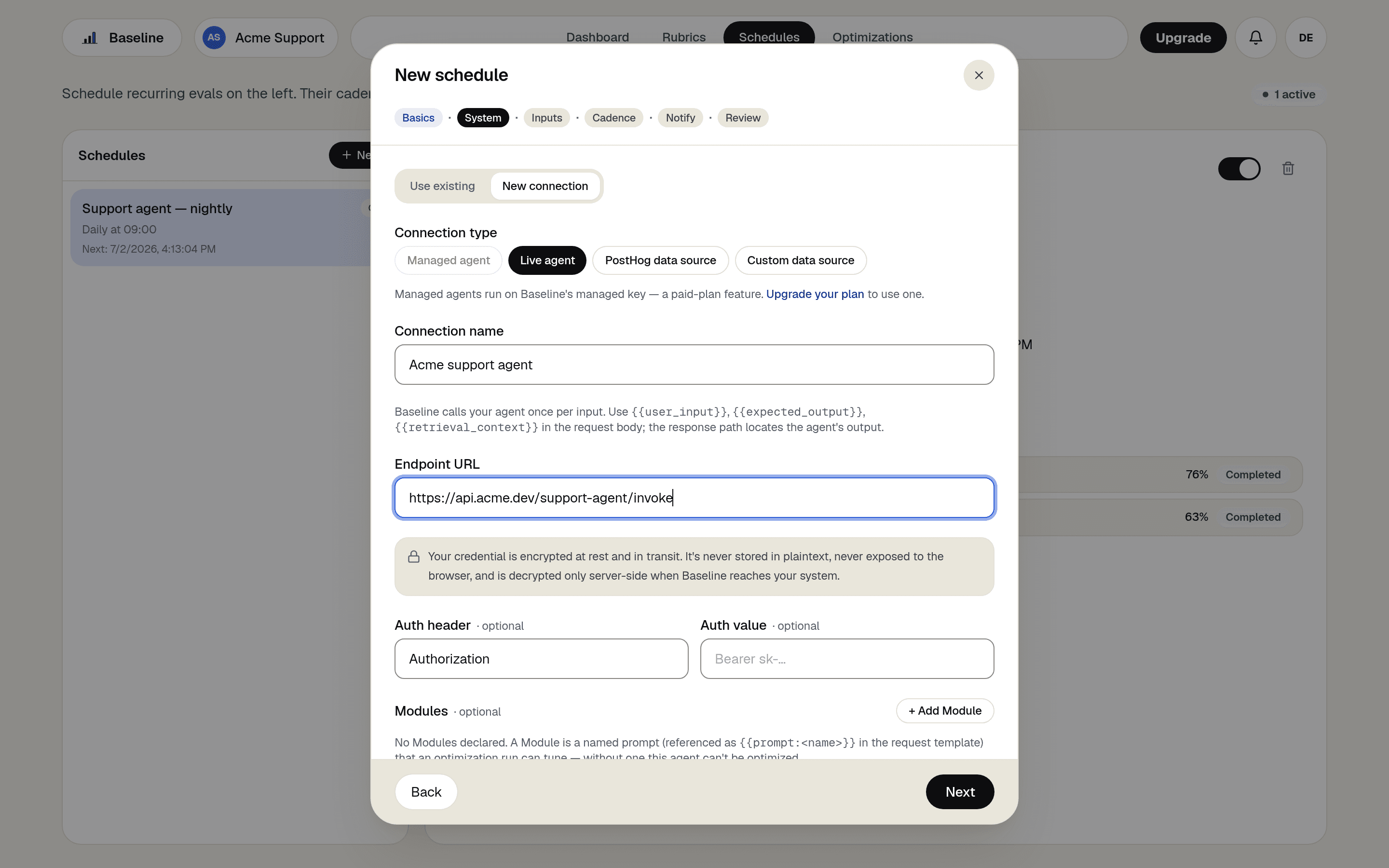
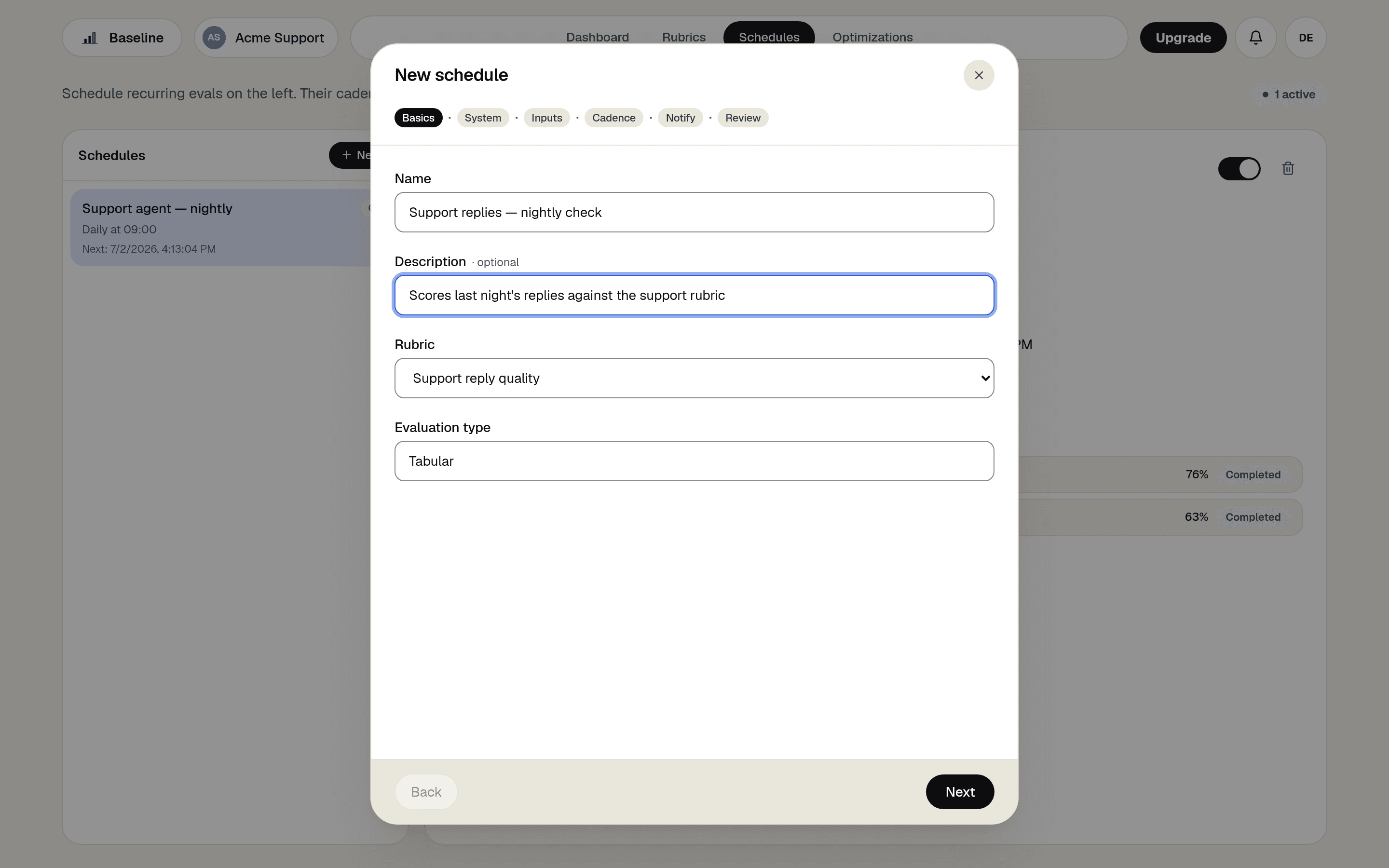
Name the test and pick the standard
The schedule wizard walks you through Basics, System, Inputs, Cadence, Notify, and Review: choose the Rubric that defines the job done well and the inputs Baseline sends through the agent.
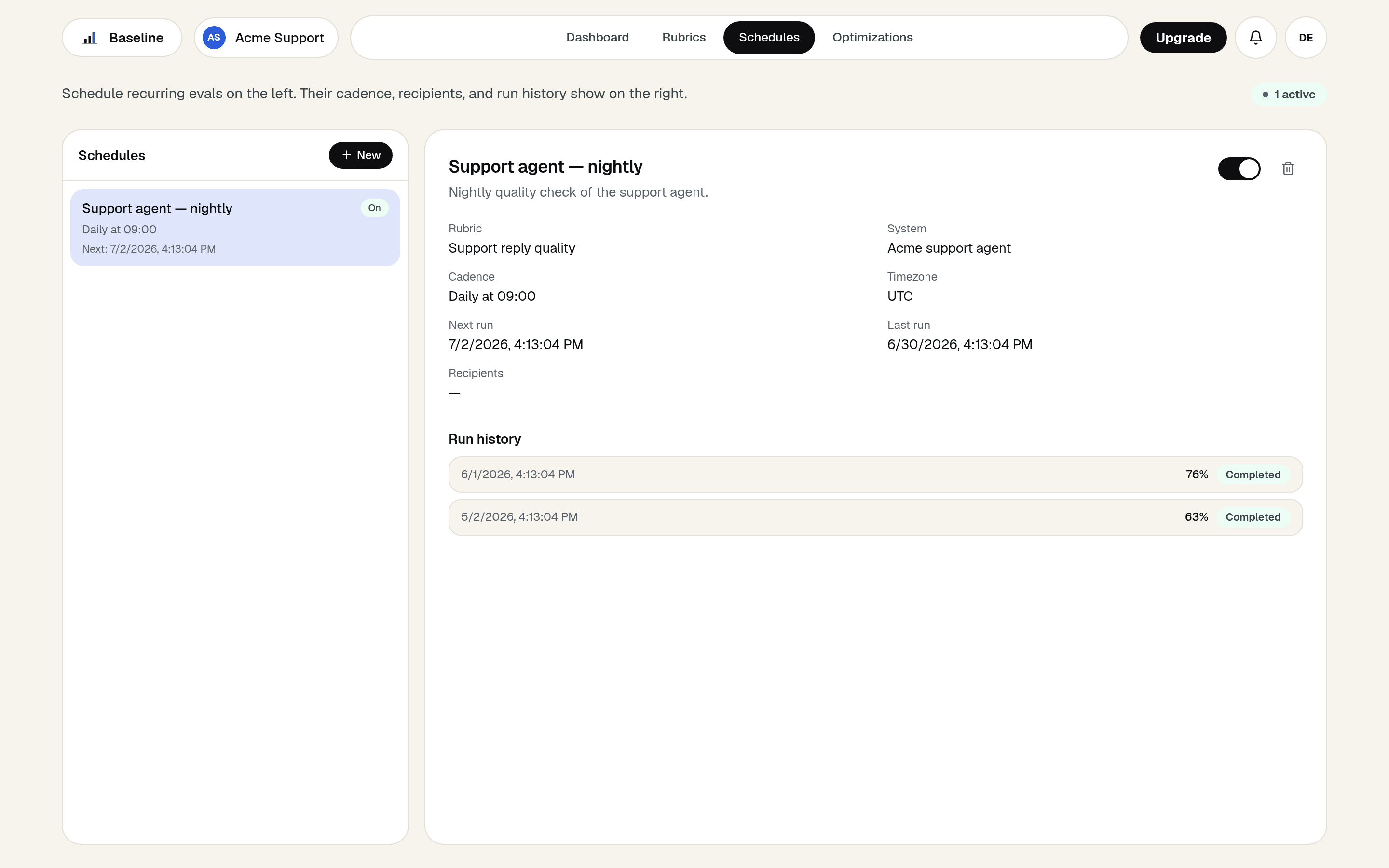
Let the cadence catch the drift
Every tick, Baseline invokes the agent with representative inputs and scores the real outputs. Run history turns tool changes, model swaps, and prompt edits into visible score moves.
How Baseline does it
Agent Connections
A reusable definition of how Baseline reaches your agent: endpoint, auth, request template, response path. Tests run against the real thing, live.
Credentials handled server-side
Connection secrets are encrypted at rest and in transit, and decrypted only when the worker calls your system.
Scheduled test runs
A cadence you choose, from hourly to monthly, with completion and failure notifications to the teammates who care.
Dataset sources too
Point a dataset Connection at PostHog or a custom source and score the traffic your agent already produced, with zero live calls.
What you get
- Test the agent's real behavior on a cadence, hands-free.
- Catch regressions from model, prompt, or tool changes in the next run.
- Define "doing the job" once, in terms the whole team agreed on.
- Score historic production traffic as easily as live invocations.
Frequently asked questions
- How is testing an agent different from testing a single prompt?
- An agent takes multiple steps and uses tools, so the output depends on more than one response. Baseline scores the agent's real end output against your Rubric, and a Schedule keeps testing as the agent changes.
- Does Baseline run my agent for me?
- It connects to your agent as an agent Connection and sends representative inputs through it, then scores what comes back. You keep your agent where it is, and Baseline measures it.
- Is it safe to give Baseline my agent's API credentials?
- Connection secrets are stored encrypted, never exposed to the browser, and decrypted only server-side at the moment Baseline calls your endpoint. You can rotate or delete a Connection's credentials at any time.
- What happens when a test catches a regression?
- You see the drop on the dashboard, and the same Rubric can drive an Optimization Run that searches for better prompts and proves the recovery against the same score.